Discover how AI agents leveraging AWS WorkSpaces can transform your legacy business applications. Achieve significant cost reductions and efficiency gains by automating manual desktop processes without needing complex API integrations or costly modernization projects.
Your business relies on critical legacy applications, perhaps decades-old custom software or an industry-specific system that predates modern APIs. These applications are the backbone of key operations, yet they’re also a silent drain on your resources. Manual data entry, repetitive workflows, and the sheer impossibility of integrating them with modern AI solutions create a hidden tax on your enterprise – costing millions in lost productivity, error correction, and missed opportunities for innovation.
The conventional wisdom has been to either embark on a multi-year, multi-million-dollar modernization project or simply accept the inefficiencies. But what if there was a third way? A breakthrough approach that allows you to automate these intractable legacy processes with AI, without a full rewrite, without complex API development, and without compromising security? The answer lies in a powerful new capability: AI agents operating directly on virtual desktops, powered by Amazon WorkSpaces.
The Crushing Cost of Legacy Manual Processes
For many enterprises, the phrase "legacy system" conjures images of essential, yet archaic, software. These systems often handle core functions like supply chain management, financial reporting, customer order processing, or specialized industrial controls. Because they lack modern APIs or robust integration points, interaction often devolves into human operators manually transferring data, clicking through screens, and verifying information – a task ripe for errors, high turnover, and significant costs.
Consider the true cost:
- Direct Labor Costs: A team of 5-10 employees performing repetitive data entry or validation into a legacy ERP system can cost upwards of $300,000 to $600,000 annually in salaries, benefits, and overhead.
- Error Rates & Rework: Manual processes inevitably lead to human error. Even a 1% error rate on high-volume transactions can translate into hundreds of thousands in rework, customer dissatisfaction, and compliance penalties.
- Slow Processing & Bottlenecks: Manual steps create delays, hindering real-time decision-making and preventing agile responses to market changes. This can impact customer satisfaction, inventory management, and time-to-market for new initiatives.
- Opportunity Cost: Highly skilled employees are tied up in mundane tasks instead of focusing on strategic initiatives, innovation, or direct customer value creation. This is perhaps the most insidious cost, as it directly impacts your competitive edge.
Traditional solutions, like a complete system overhaul, are often cost-prohibitive, risky, and disruptive. They can take years to implement, draining budgets and diverting critical resources. Middleware and custom API development can bridge some gaps, but these are often complex, fragile, and impossible for truly "closed" legacy applications.
The choice has often felt like being between a rock and a hard place: endure the pain of manual processes or undertake a massive, risky modernization. Now, there's a third, more agile path to unlock trapped value.
The AI Agent Revolution: Automating the Inaccessible
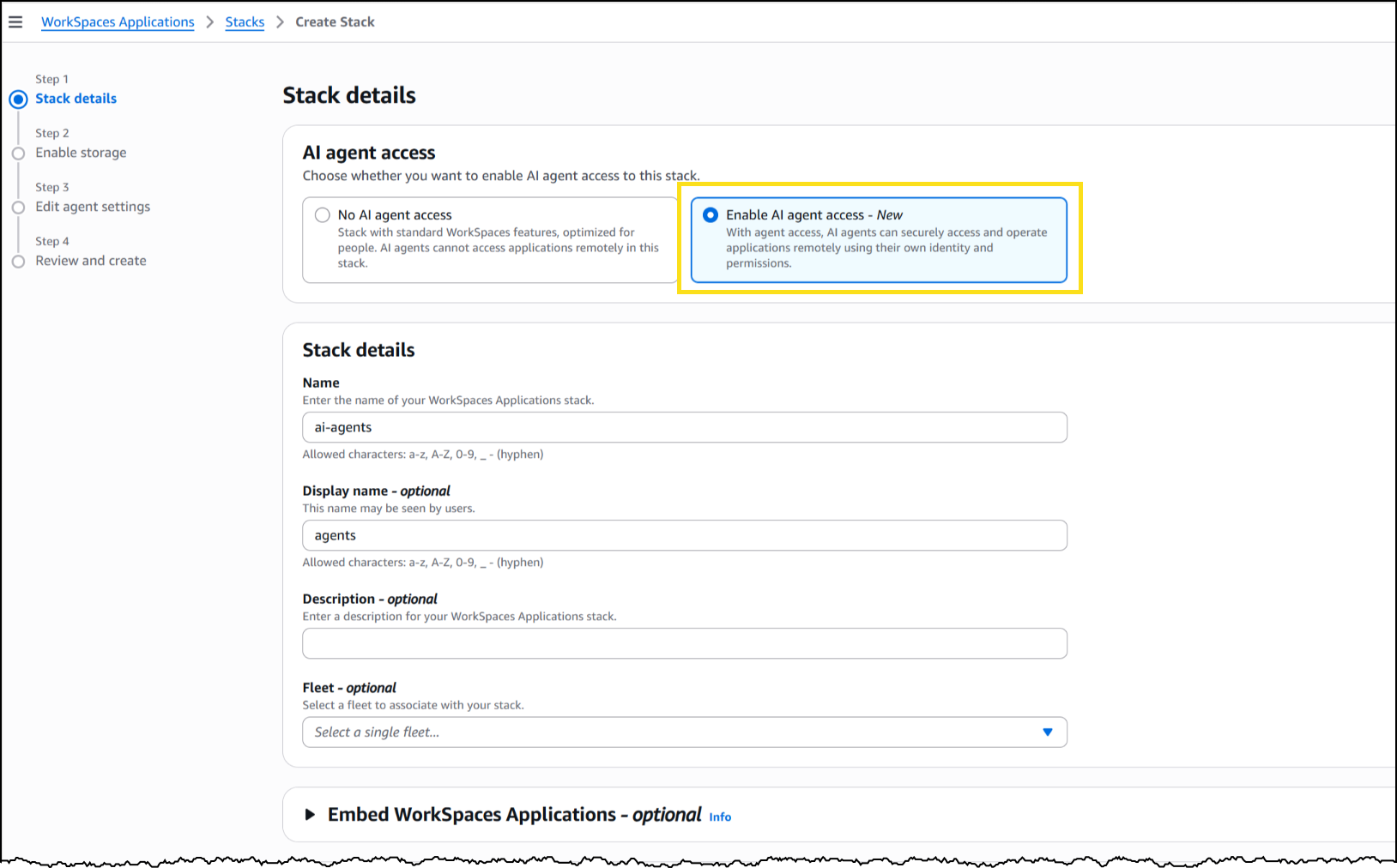
The recent announcement by AWS, allowing AI agents to securely operate legacy desktop applications directly within Amazon WorkSpaces, is a paradigm shift. This capability effectively gives an AI agent its own virtual desktop, enabling it to "see" and "interact" with a graphical user interface (GUI) just like a human operator, but with unparalleled speed, accuracy, and scalability.
Imagine an AI agent:
- Logging into a decades-old billing system, extracting specific invoice details, and entering them into a modern CRM.
- Monitoring inventory levels in a legacy warehouse management system and automatically placing reorder requests with suppliers.
- Processing customer support tickets that require navigating multiple internal desktop applications for information retrieval and resolution.
- Executing complex financial reconciliation tasks across disparate, non-integrated accounting software.
This isn't just Robotic Process Automation (RPA). While RPA focuses on mimicking recorded human actions, AI agents bring intelligence, adaptability, and contextual understanding. They can handle variations, learn from new scenarios, and even make informed decisions within the confines of the desktop environment, acting as intelligent digital employees.
How it Works: A Technical Glimpse
At its core, the solution leverages Amazon WorkSpaces – a fully managed Desktop-as-a-Service (DaaS) solution. What's new is the explicit support for AI agents, complete with IAM authentication, computer vision capabilities, and integration within existing security frameworks.
Here’s a simplified breakdown:
- Dedicated WorkSpace Instances: Each AI agent gets its own virtual desktop instance, ensuring isolation and security.
- IAM-Controlled Access: Access to these WorkSpaces and the applications within them is governed by AWS Identity and Access Management (IAM), providing granular control and audit trails.
- Computer Vision & Interaction: The AI agent uses sophisticated computer vision models to "perceive" the desktop screen, identify UI elements (buttons, text fields, tables), and determine their state. It then interacts by simulating mouse clicks, keyboard inputs, and data extraction.
- Orchestration & Decision-Making: A central AI orchestrator (which can be a custom application, an AWS Lambda function, or an ECS service) directs the agent's actions based on predefined workflows, business rules, and even real-time data from other modern systems.
- Secure Environment: Operating within WorkSpaces means agents inherit the robust security posture of AWS, including network isolation, encryption, and compliance controls. MCP (Managed Controls Policy) support further enhances governance.
This approach bypasses the need for costly API development for applications that were never designed for external integration. It allows enterprises to inject modern AI intelligence into their most resilient, yet antiquated, workflows.
Illustrative Code Examples: Bridging AI and Desktop UI
While the actual implementation will involve sophisticated AI models for computer vision and robust orchestration, we can illustrate the conceptual interaction with a simplified Python example using a hypothetical aws_agent_workspace_sdk (representing the underlying mechanisms that interact with the WorkSpaces desktop via computer vision) and a Boto3 snippet for WorkSpaces management.
Example 1: AI Agent Interacting with a Legacy Desktop Application
Imagine an AI agent tasked with updating customer information in a legacy CRM. It needs to navigate to a customer profile, update an address, and save the changes.
import time
# This would be a specialized SDK provided by AWS for agent interaction
# (conceptually, it abstracts computer vision and desktop control)
from aws_agent_workspace_sdk import WorkSpaceAgentClient

def update_customer_address(customer_id, new_address):
    agent_client = WorkSpaceAgentClient(workspace_id="ws-abc123def")
    agent_client.connect()

    # Simulate logging into the legacy CRM
    print(f"Agent logging into legacy CRM for customer {customer_id}...")
    agent_client.wait_for_image("crm_login_screen.png", timeout=30)
    agent_client.type_text("admin_user", field_name="username_field")
    agent_client.type_text("secure_pass", field_name="password_field")
    agent_client.click_button("login_button")

    # Navigate to customer search
    agent_client.wait_for_image("crm_dashboard.png", timeout=60)
    agent_client.click_button("customer_search_tab")
    agent_client.type_text(customer_id, field_name="customer_id_input")
    agent_client.click_button("search_customer_button")

    # Update address
    agent_client.wait_for_image(f"customer_profile_{customer_id}.png", timeout=60)
    print(f"Agent found customer {customer_id}, updating address...")
    agent_client.type_text(new_address, field_name="address_line1_field")
    agent_client.click_button("save_changes_button")

    # Verify success (e.g., check for a "Success" message on screen)
    if agent_client.wait_for_text("Update Successful!", timeout=30):
        print(f"Successfully updated address for {customer_id}.")
        return True
    else:
        print(f"Failed to update address for {customer_id}.")
        return False

    agent_client.disconnect()

# Example usage:
# if __name__ == "__main__":
#     success = update_customer_address("CUST-12345", "123 Main St, Anytown, USA")
#     print(f"Automation successful: {success}")
This abstract example highlights the agent's ability to locate elements, input data, and simulate clicks based on visual cues or identified UI element properties, all within the secure WorkSpaces environment.
Example 2: Provisioning an AWS WorkSpace for an AI Agent with Boto3
Setting up the underlying WorkSpaces infrastructure for an AI agent requires proper provisioning and configuration. Here's how you might initiate a WorkSpace instance using the Boto3 AWS SDK in Python:
import boto3

def create_ai_agent_workspace(user_name, bundle_id, directory_id, volume_encryption_key=None):
    client = boto3.client('workspaces')

    try:
        response = client.create_workspaces(
            Workspaces=[
                {
                    'DirectoryId': directory_id,
                    'UserName': user_name,
                    'BundleId': bundle_id,
                    'VolumeEncryptionKey': volume_encryption_key, # Optional, for added security
                    'UserVolumeEncryptionEnabled': True,
                    'RootVolumeEncryptionEnabled': True,
                    'WorkspaceProperties': {
                        'RunningMode': 'ALWAYS_ON', # Or 'AUTO_STOP' based on usage pattern
                        'RunningModeAutoStopTimeoutInMinutes': 60,
                        'ComputeTypeName': 'VALUE', # Or 'STANDARD', 'PERFORMANCE', etc.
                        'UserVolumeSizeGib': 80,
                        'RootVolumeSizeGib': 50
                    },
                    'Tags': [
                        {'Key': 'Purpose', 'Value': 'AI-Agent-Automation'},
                        {'Key': 'Project', 'Value': 'LegacySystemIntegration'}
                    ]
                },
            ]
        )
        print(f"Successfully initiated WorkSpace creation for AI agent '{user_name}'.")
        for ws in response['PendingRequests']:
            print(f"  WorkSpace Request ID: {ws.get('RequestId')}, WorkSpace ID: {ws.get('WorkspaceId')}")
        return response
    except client.exceptions.ResourceLimitExceededException as e:
        print(f"Error: Resource limit exceeded. {e}")
        return None
    except Exception as e:
        print(f"An unexpected error occurred: {e}")
        return None

# Example usage:
# if __name__ == "__main__":
#     # Replace with your actual Directory ID and Bundle ID
#     my_directory_id = "d-XXXXXXXXXX"
#     my_bundle_id = "wsb-XXXXXXXXX"
#
#     # It's recommended to create a dedicated IAM user/role for the AI agent
#     ai_agent_username = "ai_agent_fin_ops_v1"
#
#     create_ai_agent_workspace(ai_agent_username, my_bundle_id, my_directory_id)
This Boto3 example demonstrates the programmatic control required to manage the lifecycle of these agent WorkSpaces, ensuring they are provisioned, configured, and deprovisioned as needed, integrating seamlessly into your cloud infrastructure.
Realizing the ROI: A New Era of Efficiency
The business impact of this capability is profound. Enterprises no longer face the agonizing choice between maintaining costly manual processes or undergoing disruptive overhauls. Instead, they can strategically deploy AI agents to target specific high-volume, low-value, and error-prone tasks within their legacy systems.
Consider a large manufacturing firm struggling with an outdated order processing system. Their manual process involved:
- Receiving orders via fax or email.
- Manually transcribing order details into the legacy system.
- Validating customer information across multiple internal databases.
- Generating shipping labels and invoices, again, manually.
By implementing AI agents on AWS WorkSpaces, this firm could:
- Reduce Data Entry Errors by 90%: AI agents, unburdened by fatigue, perform transcription and data entry with near-perfect accuracy.
- Accelerate Order Processing by 75%: What took human operators hours now takes minutes, leading to faster fulfillment and happier customers.
- Reallocate Staff: The team previously dedicated to manual entry could be retrained for higher-value tasks like customer relationship building, strategic planning, or process improvement.
- Achieve 300% ROI in 9 Months: The cost savings from reduced labor, error correction, and faster operations quickly offset implementation costs, delivering significant returns.
This isn't just about saving money; it's about unlocking innovation, enhancing agility, and positioning your enterprise for future growth, all while leveraging your existing technology investments.
The WeDoITWithAI Advantage: Expert-Led Implementation
While the potential is immense, implementing robust, secure, and scalable AI agent solutions on AWS WorkSpaces is not a trivial undertaking. It requires a blend of deep expertise in:
- Cloud Infrastructure (AWS): Designing and managing the WorkSpaces environment, IAM policies, networking, and related AWS services.
- AI & Machine Learning: Developing and fine-tuning computer vision models for accurate UI interaction, and building intelligent orchestration layers.
- Software Engineering: Crafting resilient agent logic, error handling, and integration with enterprise systems.
- Business Process Analysis: Identifying the right workflows to automate, ensuring alignment with business objectives, and calculating tangible ROI.
- Security & Compliance: Ensuring agents operate within your corporate security framework, protecting sensitive data, and maintaining auditability.
At "We Do IT With AI", we specialize in navigating these complexities. Our team of seasoned AI architects and engineers works with decision-makers like you to identify high-impact automation opportunities, design bespoke AI agent solutions, and implement them securely and efficiently on AWS WorkSpaces. We turn your legacy challenges into strategic advantages, ensuring measurable ROI and a smoother transition to an AI-powered future.
FAQ
How long does implementation of AI agents for legacy systems typically take?
A typical pilot project for automating a single, well-defined legacy workflow can range from 8-12 weeks, including discovery, setup, agent training, and initial deployment. This rapid prototyping allows for quick validation of value. Full-scale enterprise integration will be phased based on complexity, the number of workflows, and your internal readiness.
What kind of ROI can we expect from automating legacy applications with AI agents?
Businesses often see significant ROI, commonly ranging from 150% to over 300% in the first year alone. This comes from reduced manual labor costs, fewer errors, faster processing times, and freeing up human talent for higher-value tasks. We work with you to build a custom ROI projection based on your specific operational costs and the workflows targeted for automation, ensuring transparency and measurable outcomes.
Do we need a dedicated technical team to maintain these AI agent solutions?
While initial setup and advanced optimization require specialized AI and cloud expertise, daily operation of well-trained agents can often be managed by existing operational teams with appropriate dashboards and alerts. WeDoItWithAI also offers comprehensive maintenance and support packages, ensuring your AI agents run smoothly and adapt to evolving business needs, minimizing the need for an expensive in-house expert team. Our goal is to empower your business, not create new technical burdens.
Ready to implement this for your business? Book a free assessment at WeDoItWithAI today and discover your AI advantage.
Original source
aws.amazon.comGet the best tech guides
Tutorials, new tools, and AI trends straight to your inbox. No spam, only valuable content.
You can unsubscribe at any time.