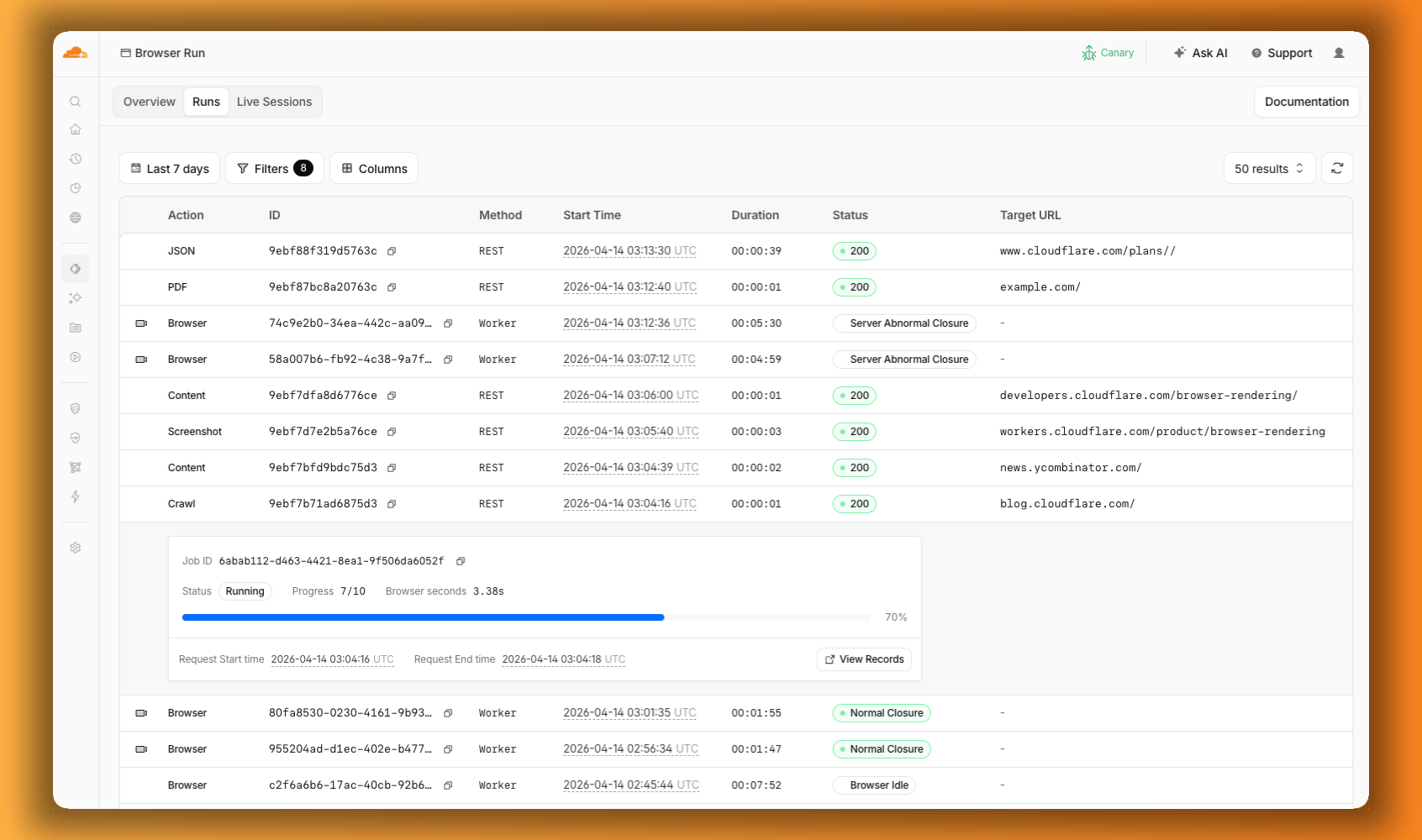
Eliminate manual web tasks and unlock massive savings. Learn how AI agents with browser capabilities can automate complex online workflows, boosting efficiency and delivering rapid ROI for your enterprise.
In today's fast-paced digital economy, many businesses still grapple with a silent, insidious drain on their resources: the hundreds, if not thousands, of hours employees spend on repetitive, manual web-based tasks. Whether it's data entry across multiple portals, monitoring competitor pricing, generating complex reports from online dashboards, or managing various SaaS applications, these operations are tedious, prone to human error, and consume valuable time that could be dedicated to strategic initiatives. This isn't just a productivity bottleneck; it's a significant, quantifiable cost center that directly impacts your bottom line and stunts innovation.
The Hidden Cost of Manual Web Operations
Imagine your sales team manually updating CRM records after pulling data from a partner portal, or your finance department reconciling invoices by logging into a dozen different vendor sites. Each click, each copy-paste, each login attempt represents a micro-cost. Cumulatively, these add up to substantial figures:
- Lost Productivity: An average employee spending just 5 hours a week on repetitive web tasks translates to 260 hours annually. For a team of ten, that's 2,600 hours – the equivalent of more than one full-time employee's salary, wasted on non-strategic work. At an average loaded cost of $70,000/year per employee, this could mean over $35,000 annually per team on tasks an AI could handle.
- Increased Error Rates: Manual data entry introduces errors, leading to downstream issues, incorrect reporting, and costly rework. These errors can erode customer trust, lead to compliance fines, or impact critical business decisions.
- Delayed Decision Making: If critical data aggregation requires manual effort, insights are delayed. In competitive markets, quick, data-driven decisions are paramount.
- Employee Burnout: Repetitive, mind-numbing tasks lead to disengagement and high turnover, incurring further recruitment and training costs.
The total cost of *not* automating these processes can easily exceed $50,000 to $100,000 annually for medium-sized enterprises, before even considering the opportunity cost of what those employees could have achieved.
With Cloudflare's recent announcement of Browser Run, the landscape for web automation with AI agents has fundamentally shifted. This isn't just about scripting; it's about empowering AI agents with a browser to truly 'see,' 'act,' and 'learn' on the web like a human, but at machine speed and scale. This capability, coupled with features like Live View, Human in the Loop, and robust concurrency, offers a powerful antidote to the problem of manual web operations, promising a rapid and significant ROI.
Empowering Your Business with AI-Driven Web Automation
At its core, Cloudflare Browser Run allows AI agents to interact with web pages directly, simulating human browsing behavior. This means your AI agents can:
- Navigate complex websites: Log in, fill forms, click buttons, download files.
- Extract specific data: Scrape pricing information, product details, news articles, or competitor intelligence.
- Automate workflows across multiple web applications: Integrate data flow between disparate SaaS platforms without needing direct API integrations for every single one.
- Monitor changes: Track alterations on specific web pages for compliance, competitive analysis, or content updates.
Think of it as giving your AI agents a pair of eyes and hands for the internet, operating within a secure, sandboxed environment. This capability, when integrated into a sophisticated agent architecture, moves beyond simple Robotic Process Automation (RPA) by adding true intelligence and adaptability.
The Technical Foundation: How It Works
Building effective, robust AI agents for web automation requires a thoughtful architectural approach. The Cloudflare ecosystem, particularly with Workers, Durable Objects, and now Browser Run (part of Project Think), provides a compelling platform for this.
Architecture Overview
A typical enterprise AI web automation solution might involve:
- A Cloudflare Worker (Orchestrator): This acts as the entry point, receiving requests (e.g., from an internal dashboard, scheduler, or another system) to initiate an automation task.
- A Durable Object (Agent State Manager): For long-running, stateful automation tasks, Durable Objects are crucial. They maintain the agent's state, track progress, store credentials securely, and handle human-in-the-loop interactions. Each long-running agent can be an instance of a Durable Object.
- Cloudflare Browser Run: This is the engine that executes browser actions. The Durable Object would instruct Browser Run to navigate, click, type, and extract data.
- LLM Integration: An LLM (e.g., via Cloudflare AI bindings or OpenAI's API) can interpret web page content, decide on the next best action, or summarize extracted information, adding intelligence beyond mere scripting.
- Cloudflare Workflows (Durable Execution): For multi-step, complex processes that require reliability and error handling, Workflows v2 can orchestrate the sequence of interactions between the Durable Object and Browser Run, ensuring tasks complete even if there are temporary network issues or interruptions.
Example Implementation Snippets (Simplified)
Let's consider a simplified example of an AI agent designed to monitor competitor pricing on a specific product page. The agent will visit the page, extract the price, and report if it changes.
1. Cloudflare Worker (Entry Point):
import { DurableObjectNamespace } from '@cloudflare/workers-types';

interface Env {
    PRICE_MONITOR_DO: DurableObjectNamespace;
    // Other bindings like AI, KV, etc.
}

export default {
    async fetch(request: Request, env: Env) {
        const url = new URL(request.url);
        if (url.pathname === '/start-monitor') {
            const targetProductUrl = url.searchParams.get('productUrl');
            if (!targetProductUrl) {
                return new Response('Missing productUrl parameter', { status: 400 });
            }

            const agentId = `price-monitor-${new URL(targetProductUrl).hostname.replace(/\./g, '-')}`;
            const id = env.PRICE_MONITOR_DO.idFromName(agentId);
            const stub = env.PRICE_MONITOR_DO.get(id);

            // Instruct the Durable Object to start/update monitoring
            const response = await stub.fetch(request.url, {
                method: 'POST',
                headers: { 'Content-Type': 'application/json' },
                body: JSON.stringify({ action: 'startOrUpdateMonitoring', productUrl: targetProductUrl })
            });

            return response;
        }

        return new Response('Not Found', { status: 404 });
    }
};
2. Durable Object (Price Monitor Agent):
import { DurableObjectState, DurableObjectEnv } from '@cloudflare/workers-types';
import { Ai } from '@cloudflare/ai'; // Assuming AI binding is available

interface Env extends DurableObjectEnv {
    AI: Ai;
    // Other bindings like KV for storing history
}

export class PriceMonitorAgent {
    state: DurableObjectState;
    env: Env;
    productUrl: string | undefined;
    lastKnownPrice: string | undefined;

    constructor(state: DurableObjectState, env: Env) {
        this.state = state;
        this.env = env;
        this.state.blockConcurrencyWhile(async () => {
            this.productUrl = await this.state.storage.get('productUrl');
            this.lastKnownPrice = await this.state.storage.get('lastKnownPrice');
        });
    }

    async fetch(request: Request) {
        const { action, productUrl } = await request.json();

        if (action === 'startOrUpdateMonitoring' && productUrl) {
            this.productUrl = productUrl;
            await this.state.storage.put('productUrl', productUrl);
            return new Response(`Monitoring ${productUrl} started/updated.`, { status: 200 });
        } else if (action === 'checkPrice' && this.productUrl) {
            return this.monitorPrice();
        }

        return new Response('Invalid action or missing productUrl', { status: 400 });
    }

    async monitorPrice() {
        if (!this.productUrl) {
            return new Response('No product URL set for monitoring.', { status: 400 });
        }

        try {
            // Use Browser Run to navigate and extract price
            const browserRunResponse = await this.env.AI.run("@cf/browser-run/default", {
                url: this.productUrl,
                actions: [
                    { type: "navigate", url: this.productUrl },
                    { type: "wait_for_selector", selector: ".price" }, // Target a common price class
                    { type: "extract_text", selector: ".price" }
                ]
            });

            const currentPrice = browserRunResponse.results[0]?.text?.trim(); // Assuming the structure

            if (currentPrice && currentPrice !== this.lastKnownPrice) {
                const message = `Price changed for ${this.productUrl}: Old price: ${this.lastKnownPrice || 'N/A'}, New price: ${currentPrice}`;
                await this.state.storage.put('lastKnownPrice', currentPrice);
                // Potentially send a notification via another Worker or external service
                console.log(message);
                return new Response(message, { status: 200 });
            } else if (currentPrice) {
                return new Response(`Price for ${this.productUrl} is still ${currentPrice}.`, { status: 200 });
            } else {
                return new Response(`Could not extract price for ${this.productUrl}.`, { status: 500 });
            }

        } catch (error) {
            console.error(`Browser Run failed for ${this.productUrl}:`, error);
            return new Response(`Automation failed: ${error.message}`, { status: 500 });
        }
    }
}
These snippets illustrate the power of combining Cloudflare's serverless primitives with AI capabilities. This setup provides a scalable, reliable, and intelligent way to automate web interactions. However, moving from these core concepts to a production-ready, secure, and resilient enterprise solution involves significant expertise in distributed systems, AI prompt engineering, error handling, and security best practices. It's not a DIY weekend project.
Mini Case Study: Streamlining Supplier Data Aggregation
A mid-sized manufacturing client faced a persistent challenge: aggregating pricing and inventory data from over 30 different supplier portals daily. This manual process occupied two full-time employees, taking 6-8 hours each day, leading to delays in procurement, suboptimal pricing decisions, and frequent data entry errors. The annual cost of this manual process exceeded $140,000 in salaries alone, not counting the impact of poor data quality.
We Do IT With AI implemented an AI agent system using Cloudflare Workers, Durable Objects, and Browser Run. The solution featured:
- Durable Objects for each supplier, managing login credentials and scraping logic.
- Browser Run to navigate and extract data from each unique portal, handling various UI layouts and CAPTCHAs (with human-in-the-loop fallback when necessary).
- An LLM to interpret and normalize the extracted data before feeding it into the client's internal ERP system.
Within 3 months of deployment, the client saw a remarkable transformation. The daily data aggregation now runs fully autonomously, completing in under 30 minutes, freeing up the two employees for strategic supply chain optimization. The estimated annual savings from this single automation are over $120,000, with an additional 15% reduction in procurement costs due to faster, more accurate data. The project paid for itself in less than 4 months.
Conclusion
The ability to deploy intelligent AI agents that can interact with the web like humans, powered by robust platforms like Cloudflare Browser Run, marks a pivotal moment for business automation. The days of struggling with clunky, brittle RPA solutions or resigning your teams to repetitive web tasks are over. The opportunity for significant cost reduction, efficiency gains, and enhanced data accuracy is immense.
However, harnessing this power effectively requires deep expertise in AI agent design, cloud infrastructure, and secure development practices. Building a resilient, scalable, and intelligent automation solution that truly transforms your operations is a complex undertaking that demands specialized knowledge.
Ready to implement this for your business? Book a free assessment at WeDoItWithAI and let our experts design and deploy the AI web automation solution that drives your business forward.
FAQ
-
How long does implementation take?
Implementation timelines vary based on the complexity of your web-based processes and the number of applications to automate. Simple automations might take 4-6 weeks to deploy, while more complex, multi-step workflows could range from 8-16 weeks. Our process typically involves discovery, design, development, testing, and a phased rollout to ensure minimal disruption and maximum impact.
-
What ROI can we expect?
Typical outcomes include a 30-70% reduction in labor costs for automated tasks, a significant decrease in error rates (often by 80% or more), and faster data processing. Many clients see a full return on investment within 3-9 months through direct cost savings and improved operational efficiency. We provide detailed ROI projections based on your specific business case during our initial assessment.
-
Do we need a technical team to maintain it?
While the underlying infrastructure is robust, web applications can change. Our solutions are designed for resilience, but minor adjustments may occasionally be needed if a target website's UI undergoes significant changes. We offer comprehensive maintenance and support packages, ensuring your AI agents remain effective and up-to-date, minimizing the need for an internal technical team dedicated solely to maintenance.
Original source
blog.cloudflare.comGet the best tech guides
Tutorials, new tools, and AI trends straight to your inbox. No spam, only valuable content.
You can unsubscribe at any time.