Windows
Windows 10 or 11, 64-bit.
See what is using your memory and disk, which processes are really running —your Claude Code sessions included— and what is safe to delete, with the reason for each item.
Free · version 0.2.0 · Windows 10/11 · macOS coming soon
What it does
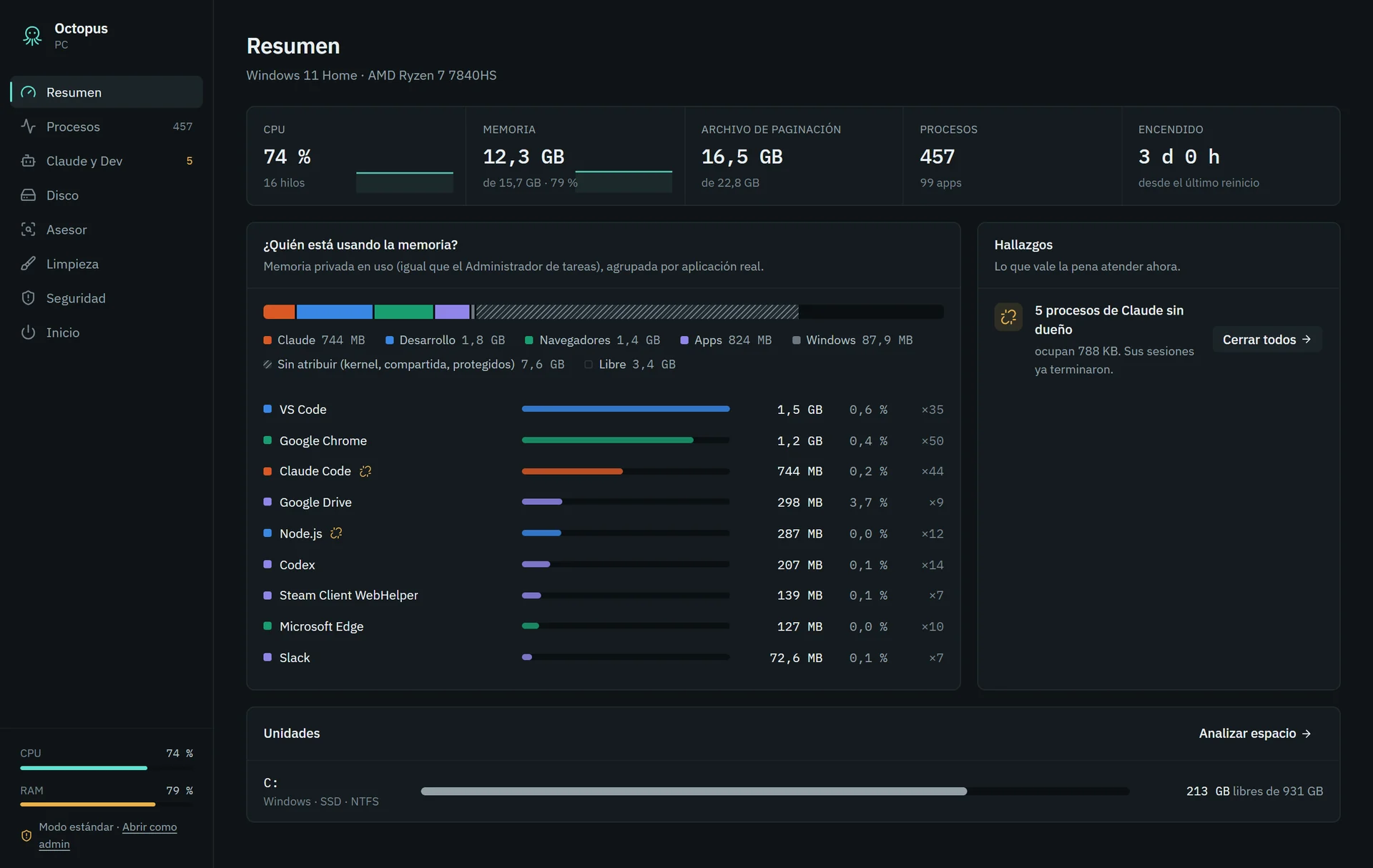
Groups every process under the app it really belongs to —Chrome, VS Code, Claude Code, Docker— and shows how much memory it actually uses.
Finds orphaned and duplicate MCP servers and forgotten dev servers, and closes them in one click.
Scans the disk in seconds, shows the biggest folders and files, and finds node_modules, builds and caches of old projects.
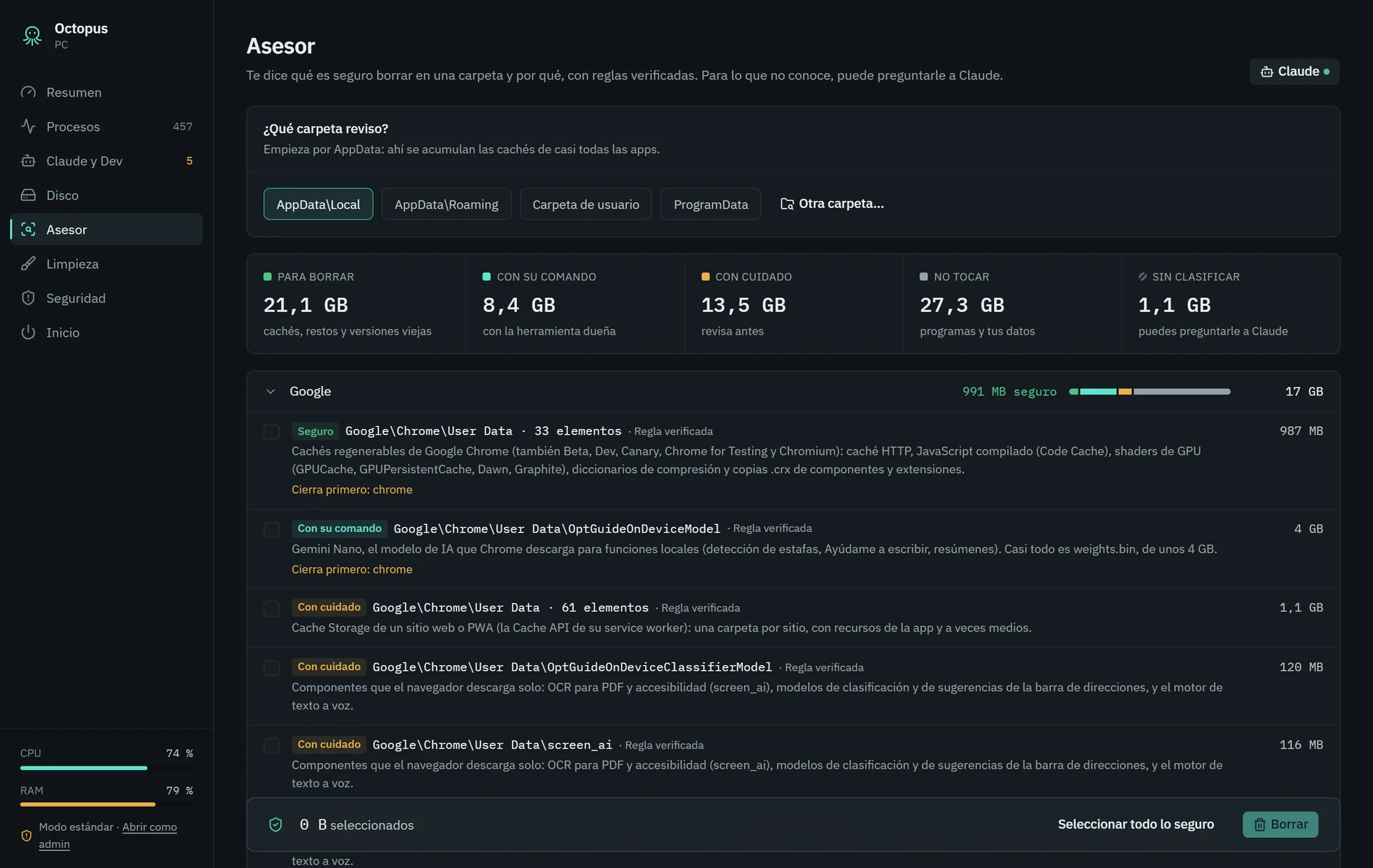
For any folder it tells you what is safe to delete, what needs its own command and what never to touch. Right before deleting, it checks everything again.
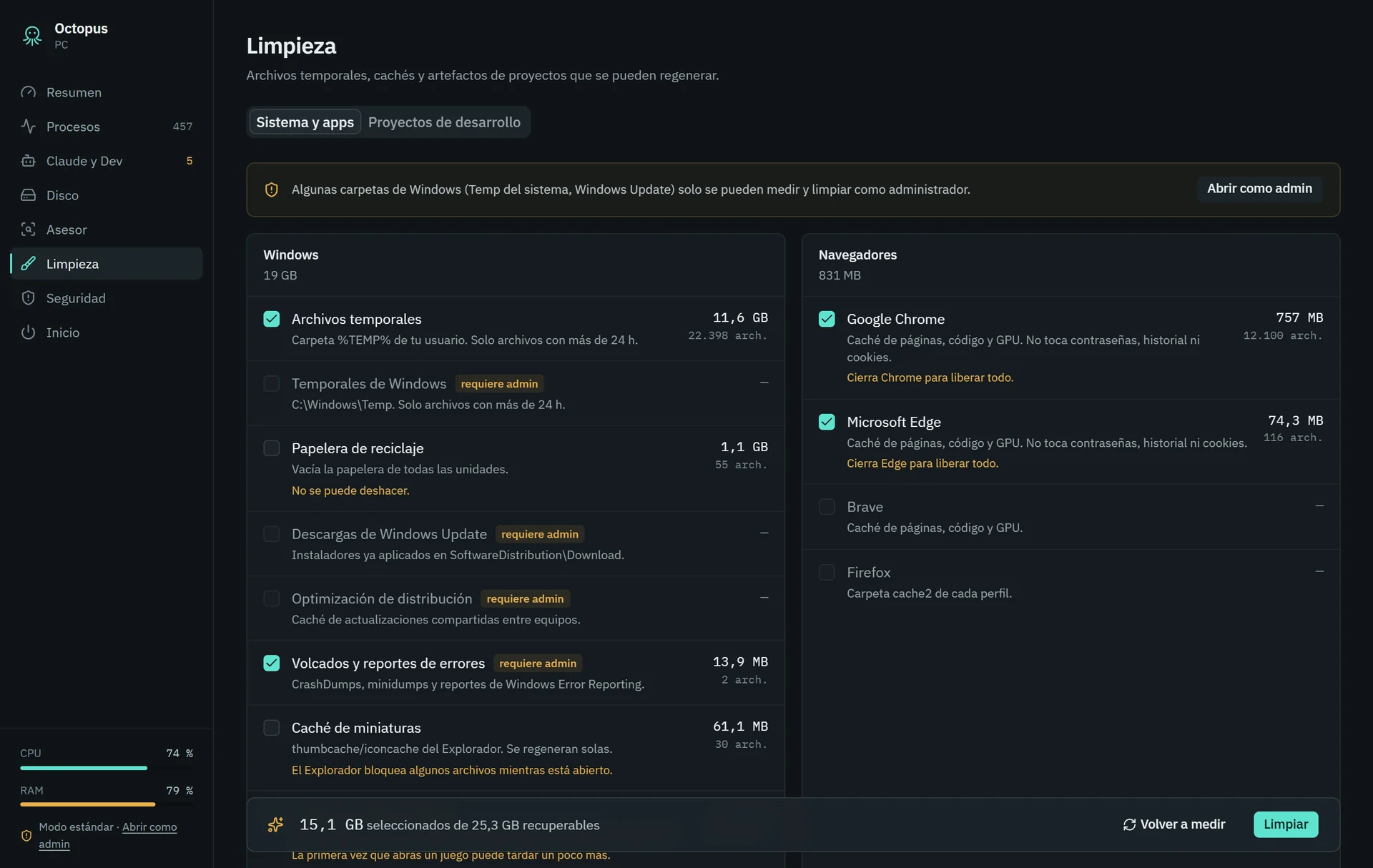
Browser caches, temp files, logs, Xcode, npm, pip, Homebrew and more. Anything not verified goes to the trash.
Checks code signatures, programs that start on their own and processes hiding in odd folders. Not a replacement for your antivirus: it tells you what to look at.
Windows and Mac
Cleaning a Mac is not the same as cleaning Windows. Octopus knows the folders, protections and tools of each one.
Downloads
Always the latest version. macOS, Android and iOS are on the way.
Windows 10 or 11, 64-bit.
macOS 11 Big Sur or later. Apple Silicon and Intel in one file.
See what is taking up space on your phone.
Storage and apps, explained.
Requirements: Windows 10/11 64-bit or macOS 11 or later (Apple Silicon and Intel). To update, download the new version over the old one; your settings are kept.
Free, no account
No sign-up and no payment.
Nothing leaves your computer
No telemetry. The only thing that leaves is what you ask Claude, with your own API key: names, sizes and dates, never your files’ contents.
It never deletes without asking
You confirm every deletion, and anything not verified by a rule goes to the trash.
No. It flags odd processes and programs with heuristics and sends you to Microsoft Defender (on Windows) or VirusTotal for the verdict. Keep using your antivirus.
Octopus protects system folders, your documents, cloud storage and virtual disks. Anything not verified by a rule goes to the trash, so you can get it back.
No. Claude is optional and only analyses folders the rules don’t know, using your own Anthropic API key.
Because it doesn’t have a paid Microsoft signature or Apple notarization yet. Every version is built automatically on GitHub and the files are published right there.
We built Octopus with AI in a few weeks. We can do the same for your business.